
Creating a High Availability View
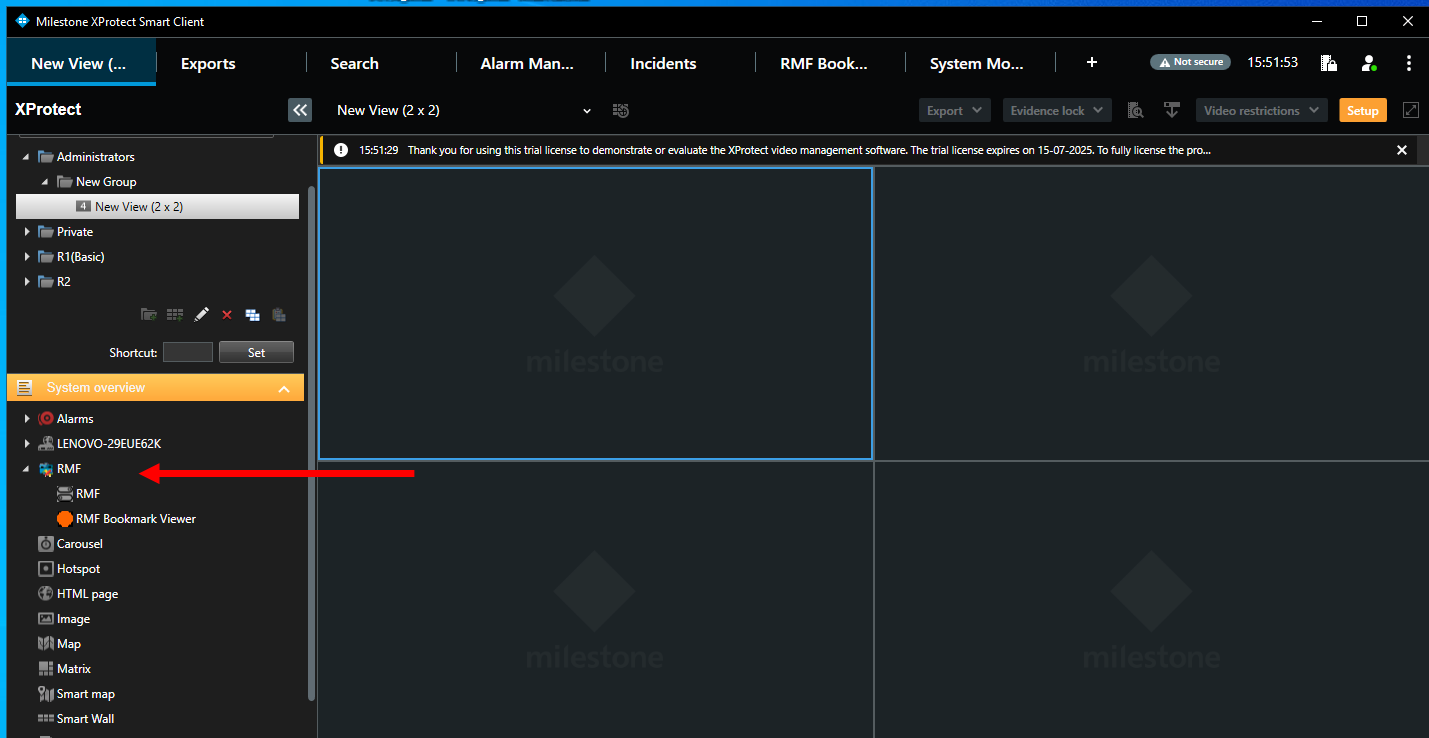
Creating an RMF View
RMF's Smart Client features are only available in the Single Site or Federated modes of operation. Use a PSIM that integrates with the RMF API to achieve such functionality in the Independent mode of operation.
With Release 7.5.0, the requirement to create a “special” RMF view in the Smart Client has been removed. RMF now runs in the background within the Smart Client and provides high availability to all native XProtect view windows displaying RMF-licensed cameras.
Skip the steps below if you are using Release 7.5.0 or later.
The RMF Smart Sync service automatically generates RMF views that correspond to native Milestone Smart Client views. As the admin makes changes to view layouts for each role, these changes are automatically synchronized into the corresponding RMF views. For more details, refer to Synchronize Views.
However, administrators may want to create an RMF view manually for each role and not use native views. The steps below outline this process for administrators.




Federated Deployments
Note that RMF view windows are created only at the parent site during federated deployments, as we assume the primary set of streams is recorded there. The secondary set is recorded at the child site. For stream-level failover to occur, the logged-in user must have access to both sites, which is only possible with a parent site login.
The RMF SmartSync Service also creates a set of native (non-RMF) views at the child site. If the parent site is offline, users can log in directly to the child site and view the same cameras in their familiar views. SeeSynchronize Views.
Last updated